


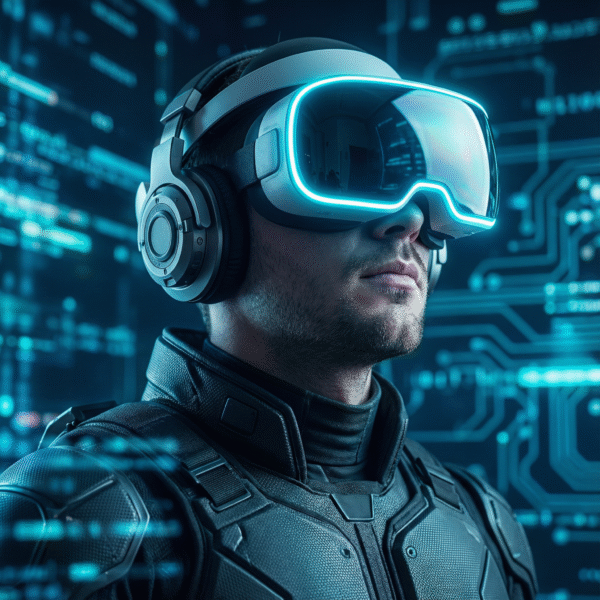








Who It’s For
Enterprise Teams Presenting XR Solutions: This assistant fits innovation teams, solution architects, product teams, and internal presenters who need to explain immersive technology in a decision-making context. It works especially well when the demo must balance technical credibility with business clarity, stakeholder expectations, and live-environment constraints.
Educators and Trainers Working with Immersive Technology: Instructors, academic programs, and training teams can use this assistant to structure classroom demonstrations, guided walkthroughs, and educational XR presentations more clearly. It helps adapt the explanation level to the audience without flattening the underlying concepts.
Founders and Teams Preparing Investor or Partner Demos: When immersive technology needs to be presented with both realism and strategic clarity, this assistant helps shape the flow, narrative, and technical framing. It is especially useful for early-stage teams that need a more disciplined presentation layer around a live or guided XR demonstration.
XR Practitioners Running Public-Facing Demonstrations: Developers, demonstrators, and technical operators can use it to tighten run-of-show flow, identify likely failure points, prepare talking points, and improve audience understanding. In addition, it supports both the demonstration itself and the explanation around it.
Why Users Want It / What Problem It Solves
XR demos often fail for reasons that have little to do with the idea itself. More often, the problem is execution: the wrong explanation for the audience, unclear pacing, weak fallback planning, overlooked comfort concerns, poor environmental fit, or technical details that are either mishandled or over-explained.
This assistant helps solve those problems before they become visible in the room.
It helps users:
- structure the demonstration more clearly
- match the explanation to the audience
- identify practical constraints early
- prepare for tracking, lighting, space, or performance issues
- reduce confusion during live presentations
- present immersive technology with more credibility and less avoidable friction
In other words, it supports the part of XR work that sits between product knowledge and public delivery.
How It Works
Step 1 —
Define the demo context
The assistant starts by clarifying the core setup: audience, device, content or scenario, environment, and time budget. This creates a practical base for the rest of the planning.
Step 2 —
Identify what the demo needs to prove
Next, it helps narrow the purpose of the presentation. That may be technical explanation, stakeholder confidence, educational clarity, product showcasing, or a more structured investor narrative.
Step 3 —
Shape the run-of-show
Then it helps organize the demonstration into a cleaner flow, including timing, talking points, audience checkpoints, and transitions between major moments.
Step 4 —
Surface constraints and likely failure points
Before the demo is finalized, the assistant highlights issues such as tracking instability, limited space, comfort concerns, lighting problems, noisy venues, device limitations, or performance-related risk.
Step 5 —
Deliver a usable execution package
Finally, it produces practical outputs such as run-of-show guidance, technical talking points, comfort notes, troubleshooting paths, Q&A preparation, and post-demo follow-up prompts.
Full User Guide Pack included inside the member access area
Features & Capabilities
Run-of-Show Planning and Demo Structuring
- Helps organize XR demonstrations into a clearer, more manageable presentation flow
- Supports timing logic, sequencing, transitions, and fallback planning
- Improves demo readiness for classrooms, boardrooms, events, and guided showcases
Audience-Adaptive XR Communication
- Adjusts explanation depth for executives, students, technical teams, mixed audiences, and non-specialist stakeholders
- Helps translate complex XR concepts into clearer presentation language
- Supports pre-demo framing, in-demo explanation, and Q&A preparation
Real-World Constraint Awareness
- Helps account for space limitations, lighting conditions, noisy environments, connectivity issues, and device setup realities
- Surfaces likely demo risks before they disrupt the presentation
- Supports more resilient live-demo preparation rather than idealized planning
Comfort, Safety, and Human-Factors Guidance
- Supports comfort-first demonstration planning
- Helps users think through motion sensitivity, supervised use, boundary awareness, and general presentation ergonomics
- Adds practical value when the audience includes first-time or non-technical participants
Vendor-Neutral Capability Framing
- Focuses on capabilities, tradeoffs, and operational fit rather than brand-led advocacy
- Supports more credible evaluation and comparison logic
- Helps users explain immersive technology without sounding promotional or platform-dependent
Troubleshooting and Iterative Refinement
- Helps identify likely failure modes related to performance, environment, tracking, or presentation flow
- Supports iterative improvement through focused follow-up questions and revision logic
- Remains useful both before a demo and after a rough rehearsal or live session
Outputs / Deliverables
Depending on the use case, VR and AR Technology Demonstrator can help generate:
- demo briefs
- run-of-show outlines
- structured presentation flows
- technical talking points
- audience-adapted explanation sets
- comfort and safety notes
- troubleshooting trees
- fallback / contingency paths
- capability comparison frameworks
- Q&A preparation prompts
- post-demo debrief prompts
- rehearsal refinement notes
Why This Is Different
Many AI tools can describe VR, AR, or mixed reality at a general level. This assistant is different because it is oriented around demonstration quality, not generic explanation alone.
More specifically, it focuses on the real pressure points that shape whether an XR presentation lands well: audience sophistication, timing, comfort, environmental constraints, device realities, and the gap between technical depth and public-facing clarity.
Just as importantly, it stays vendor-neutral. That matters because strong demonstrations often require tradeoff awareness, not platform evangelism.
The product’s strongest differentiator is that it helps users move from “we have immersive technology to show” to “we know how to present it clearly, credibly, and with better preparation.” As an XR demo planning assistant, it is designed to support execution quality rather than just XR commentary.
Best Fit Users
Teams Running Important Live XR Presentations: Users preparing enterprise demos, investor briefings, internal innovation showcases, or formal educational demonstrations are likely to get the most value. The assistant is strongest when the demo carries reputational, strategic, or educational weight.
Organizations That Need More Than a Generic Explainer: This is a strong fit for users who already understand that immersive technology is not hard to describe only because it is technical, but also because it must be shown under live conditions. As a result, the product helps close that execution gap.
Practitioners Who Want Better Structure Around What They Already Know: Developers and XR operators who understand the technology but want stronger presentation logic, clearer audience communication, and better fallback planning will find this especially useful.
Not For
Users Looking for Gaming Cheats, Exploits, or Competitive Advantage: This is not a gaming manipulation tool. Instead, it is built to improve clarity, preparation, comfort awareness, and demonstration quality.
Users Seeking Tactical, Operational, or Weapons Guidance: This assistant is not designed for combat strategy, operational simulation advice, or mission decision support. It is a technology demonstration and explanation assistant, not an operational advisor.
Users Who Only Want General AI Chat About Emerging Tech: If the goal is broad speculative conversation without a demonstration, presentation, training, or explanatory need, this product may be more structured than necessary.
Optional Specialized Modules
Enterprise Demonstration Track
Supports stakeholder-facing XR demos where business framing, technical credibility, and operational realism all matter. Useful for internal pilots, executive reviews, solution walkthroughs, and decision-support presentations.
Education and Training Track
Supports classrooms, workshops, labs, and guided learning experiences where XR concepts need to be explained clearly and responsibly across different knowledge levels.
Investor and Partner Demo Track
Supports founder-led and stakeholder-facing presentations that need a better balance between opportunity framing, technical readiness, and demo discipline.
Frequently Asked Questions (FAQs)
1. What is VR and AR Technology Demonstrator designed to help with?
It is designed to help users plan, explain, and deliver VR, AR, and mixed-reality demonstrations more clearly and with better operational preparation.
2. Does it support live XR demo planning?
Yes. It is especially useful for run-of-show planning, talking points, fallback logic, troubleshooting preparation, and audience-adapted explanation.
3. Is it tied to one hardware brand or ecosystem?
No. It works as a vendor-neutral assistant focused on capabilities, constraints, comparison logic, and presentation quality.
4. Can it help with non-technical audiences?
Yes. One of its strongest use cases is helping users explain immersive technology to executives, students, stakeholders, or mixed audiences without losing clarity.
5. Can it help identify likely demo risks?
Yes. It can help surface likely risks around tracking, environment, comfort, timing, and general demonstration flow.
6. Is this product only for enterprise teams?
No. Enterprise teams are a strong fit. However, educators, founders, XR practitioners, and training-focused users can also benefit from it.
7. Does it help with comfort and safety considerations?
Yes. It supports comfort-aware planning, general safety-conscious presentation thinking, and practical user-experience considerations during immersive demos.
8. Is it a replacement for specialist engineering, certified training, or formal testing?
No. It is a planning, explanation, and demo-support assistant. It does not replace formal technical validation, certified instruction, or specialized professional judgment.
Closing
VR and AR Technology Demonstrator helps users make immersive technology presentations clearer, better prepared, and more credible under real conditions. Explore it as a ready-to-use JAVASCAPE AI assistant, or request a more tailored XR support build.
Already a JAVASCAPE AI member? Log in to access your tools through the Access Hub. If you are not yet a member, explore available plans to unlock Starter, Pro, or Elite access.
[Log In] [View Plans] [Go to Access Hub]
Detailed User Guide Pack available to members
🔑 Unlock the Future—Your Success Starts Here!
Team JAVASCAPE AI
Get Access to 1000s of ChatGPT (Universal) prompts
Checkout our other GPTs: https://www.javascapeai.com
“Please give us a 5-Star rating⭐⭐⭐⭐⭐ to show your satisfaction with your experience…We thank you for your support!”










javascapeai –
⭐️⭐️⭐️⭐️⭐️ Creator Review
We built this GPT because we were tired of XR advice that sounded good on paper but fell apart in real demos. This tool is meant to be practical, calm, and realistic—focused on what actually works in front of real users, real spaces, and imperfect hardware. It’s the assistant we wish we had during live VR/AR demos, last-minute prep, and troubleshooting on the floor.
javascapeai –
We’re confident you’ll find real, practical value in this GPT—whether you’re preparing a quick demo, exploring XR concepts, or solving problems on the fly. It was built from real-world experience with the goal of making VR and AR easier, smoother, and more effective to use.
Team JAVASCAPE AI
John Knapp –
👉 Add VR and AR Technology Demonstrator to your toolkit today and elevate every immersive demo you deliver.
DanielP –
Believe me, I’ve used a bunch of AI tools that talk like they know XR, but this one actually feels useful when you’re under pressure. It gives clear, step-by-step help without drowning you in jargon, and it’s great at turning messy ideas into something you can demo confidently. It’s also refreshingly practical—like it remembers you’re dealing with real people, real rooms, and real tech that doesn’t always behave.
I had a quick VR/MR demo coming up for a mixed crowd (some execs, some devs), and I only had about 10 minutes plus a small, awkward space. I asked this GPT for a plan, and it basically handed me a tight run-of-show, what to say while users put the headset on, what features to highlight first, and a quick troubleshooting checklist for the usual stuff (tracking weirdness, lighting issues, Wi-Fi flakiness). The demo felt smoother, I sounded more prepared, and when something did hiccup, I wasn’t scrambling.
If you work with VR/AR even occasionally—demos, pilots, training, product showcases—this GPT is absolutely worth it.
javascapeai –
Thanks so much for the thoughtful 5-star review, Daniel! We’re really glad the GPT helped you stay calm and confident under real demo pressure. Your note about “real people, real rooms, and real tech” is exactly the bar we aim for—practical guidance that works when time, space, and hardware are less than ideal.
It’s great to hear the run-of-show, live talking points, and quick troubleshooting checklist made a tangible difference with a mixed exec/dev audience. Helping you sound prepared, keep flow during handoffs, and recover smoothly from inevitable hiccups is the core use case we built this for.
We appreciate you taking the time to share such specific feedback—it helps us keep the focus on demos that actually work in the wild.
Mark Bishop –
This GPT genuinely feels like working with someone who understands VR and AR, not just talks about it. The guidance is practical, clear, and grounded in real-world demo experience, which makes a huge difference when you’re planning or explaining immersive tech. It doesn’t overhype—just gives you exactly what you need, when you need it, in a way that feels natural and human. A solid, trustworthy tool for anyone serious about XR.
javascapeai –
Thank you for this—your feedback really captures what we’re aiming for. We’re glad the guidance felt grounded, human, and free of hype, especially when explaining or planning XR in real-world scenarios. Hearing that it comes across as trustworthy and experienced means a lot, because that practical credibility is exactly what this GPT is built to deliver.