
Long Product Description
Opening Statement / Hero Overview
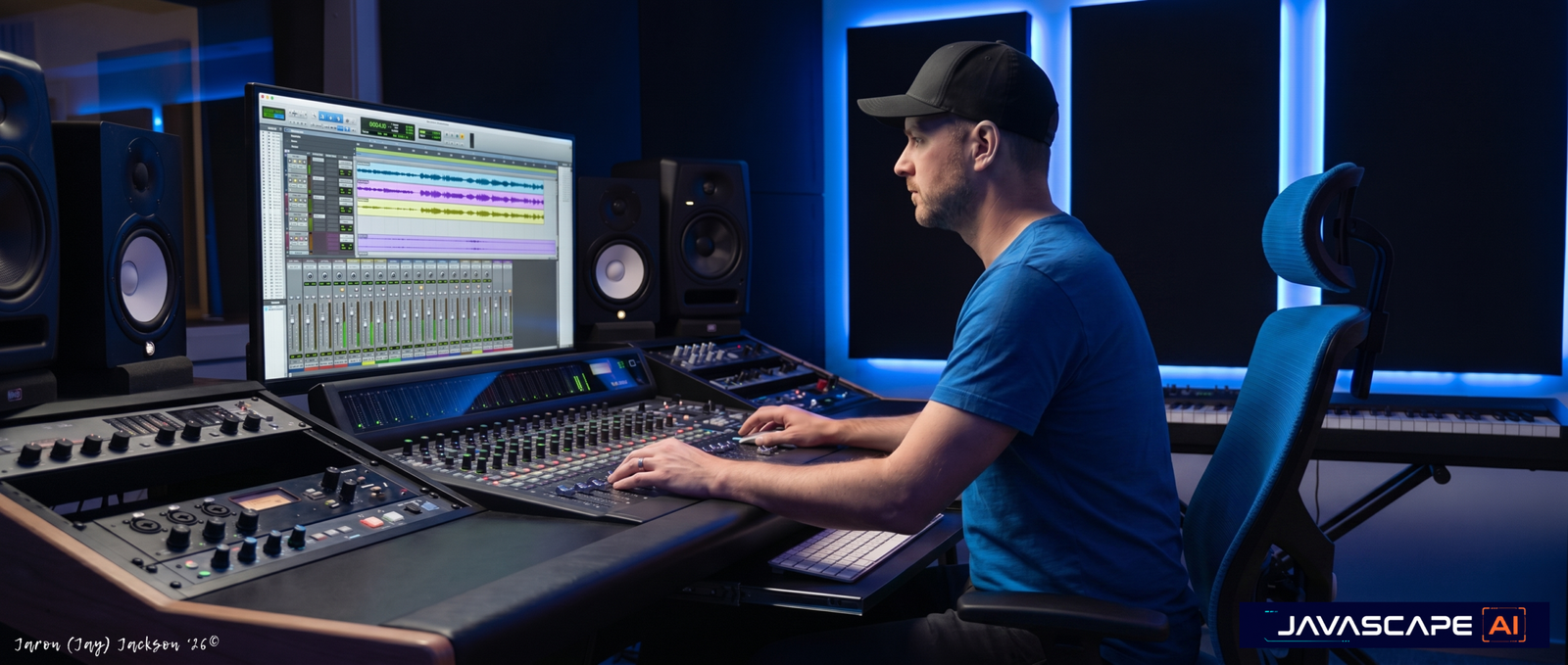
Mix Engineer Pro helps users move from uncertain mix problems to clearer revision decisions.
Built for artists, producers, engineers, and home-studio creators, this assistant provides structured mix critique across balance, vocals, low end, masking, stereo image, effects, reference comparison, translation, and premaster preparation. It is designed to help users identify what to fix first, what to test next, and what may need deeper listening or professional review.
Rather than treating every mix issue as a plug-in problem, Mix Engineer Pro encourages a practical review order: balance first, then vocal clarity, low-end control, masking, dynamics, stereo depth, translation, and final handoff preparation.
Who It’s For
Artists Mixing Their Own Music:
Mix Engineer Pro fits artists who need a clearer second opinion before releasing, sending files to a collaborator, or preparing a track for mastering review. It helps translate concerns like “the vocal feels buried” or “the mix sounds muddy” into practical revision priorities.
Home-Studio Producers:
This assistant supports creators working in project studios who need structured guidance without overcomplicating the process. It is useful when a mix sounds good in one place but falls apart on headphones, phone speakers, earbuds, car speakers, or monitors.
Mix Engineers and Audio Professionals:
Experienced users can use Mix Engineer Pro as a decision-support tool for rough mix review, client-note sorting, reference comparison, translation checks, and premaster-prep planning. It can help organize critique without replacing professional listening judgment.
Production Teams Preparing Tracks for Delivery:
Teams can use the assistant to clean up revision plans, stem handoff notes, export concerns, and mastering-prep checklists before a project moves forward. It supports more organized communication around what still needs attention.
Why Users Want It / What Problem It Solves
Mixing can become difficult when every issue feels connected. A muddy low end may involve kick sustain, bass tone, low-mid buildup, reverb density, monitoring, or arrangement overlap. A buried vocal may require automation, masking cleanup, ambience control, compression review, or a balance reset.
Mix Engineer Pro helps users slow that process down and review the mix in a clearer order. It supports better decision-making by helping users separate likely causes from symptoms, prioritize the next revision pass, and test whether a change actually improved the mix.
This is especially useful when users are stuck between too many possible fixes, receiving vague client notes, comparing against references, or preparing a near-final mix for mastering review.
How It Works
Mix Engineer Pro guides users through a practical mix-review workflow. The process begins with the user’s mix concern, then turns that concern into prioritized listening checks and revision decisions.
Step 1: Define the Mix Problem
The user starts by describing the track, genre, mix stage, and what feels wrong. This gives Mix Engineer Pro enough context to avoid generic advice and focus on the issue that matters most.
- Identify the mix stage: rough, near-final, client revision, or premaster prep
- Describe the main issue in plain language
- Share the genre or sonic direction
- Note where the problem appears during playback
This step helps turn a vague concern into a usable mix-review brief.
Step 2: Choose the Right Review Focus
Mix Engineer Pro can respond through focused review modes depending on the user’s need. This keeps the answer specific instead of trying to solve the entire mix at once.
- Quick Mix Triage for fast priority decisions
- Vocal Focus for clarity, level, ambience, and automation
- Low-End Focus for kick, bass, sub, and low-mid control
- Translation Check for playback-system risk
- Premaster Check for final handoff preparation
This step helps users get a response shaped around the right problem.
Step 3: Diagnose the Likely Bottleneck
The assistant reviews the issue through mix-specific lenses such as balance, masking, dynamics, space, stereo image, automation, translation, and handoff readiness. When audio or measurable details are not available, it keeps assumptions clear.
- Separate confirmed context from working assumptions
- Identify likely causes, not just surface symptoms
- Avoid unsupported claims about what cannot be heard or measured
- Keep the diagnosis practical and listening-based
This step supports better decisions without pretending to confirm unavailable details.
Step 4: Prioritize the Revision Order
Mix Engineer Pro gives users a practical order of operations so they can avoid chasing polish before the core mix works. The goal is to help users fix the highest-impact issues first.
- Identify mix blockers before polish items
- Prioritize balance, vocals, low end, and masking
- Flag translation risks before final handoff
- Suggest listening checks for each revision
This step helps users revise with more control and less guesswork.
Step 5: Prepare the Next Pass
After the first critique, users can return with updated notes, listening results, playback observations, or handoff concerns. Mix Engineer Pro can then help refine the next revision pass.
- Convert notes into checklists
- Compare revision options
- Build premaster-prep tasks
- Organize stem or session handoff notes
This step keeps the workflow iterative and practical.
Full User Guide Pack (Beginner & Advanced Power-User) included inside the member access area
Features & Capabilities
Structured Mix Critique
Mix Engineer Pro helps users review the mix through clear categories instead of scattered tips. It can assess balance, vocal placement, low-end control, tonal balance, dynamics, space, stereo image, automation, translation risk, and premaster-prep concerns based on the information provided.
Vocal Placement Support
Users can ask for practical guidance on lead vocal level, intelligibility, compression, de-essing, reverb, delay, doubles, harmonies, ad-libs, and vocal automation. The assistant helps users check whether the vocal issue is truly volume-related or caused by masking, ambience, arrangement density, or dynamics.
Low-End Troubleshooting
Mix Engineer Pro supports focused diagnosis for kick, bass, sub, 808, low mids, masking, sustain, playback translation, and small-speaker perception. It helps users test whether the low end is failing because of balance, overlap, time-domain buildup, monitoring, or arrangement choices.
EQ, Masking & Tonal Balance Guidance
The assistant can help users think through mud, harshness, boxiness, dullness, thinness, crowded choruses, and competing frequency areas. It does not rely on universal fixed settings; instead, it helps users identify what to listen for before applying a revision.
Compression & Dynamics Review
Mix Engineer Pro can support decision-making around punch, vocal stability, transient control, over-compression, parallel processing, bus movement, and density. It helps users understand whether compression is solving the problem or flattening the mix.
Stereo Image, Depth & Effects Balance
Users can ask for review around width, center-image strength, panning, mono compatibility, reverb density, delay balance, front-to-back depth, and automation. The assistant helps users make the mix feel bigger without weakening core elements.
Reference Comparison Support
Mix Engineer Pro can help users compare their mix direction against a reference goal by category: vocal level, low-end weight, brightness, width, depth, ambience, energy, and perceived balance. The goal is alignment, not imitation.
Premaster Preparation
The assistant can help users organize final mix checks before mastering review, including clipping risk, headroom discussion, fades, export concerns, version naming, unresolved mix issues, and mastering handoff notes. It does not certify release readiness.
Outputs / Deliverables
Mix Engineer Pro can help produce:
- Rough mix critique summaries
- Priority-ranked revision plans
- Vocal mix review notes
- Low-end troubleshooting trees
- EQ and masking checklists
- Compression decision notes
- Stereo width and depth review plans
- Reference comparison worksheets
- Translation test workflows
- Premaster-prep checklists
- Stem delivery notes
- Client mix-note revision plans
- Engineer-facing checklists
- Mastering handoff summaries
These outputs are designed to help users revise with clearer priorities and more organized listening checks.
Why This Is Different
Mix Engineer Pro is focused on mix decision support, not generic music advice.
It helps users think like a mix reviewer: identify the bottleneck, prioritize the revision, test the change, and avoid pretending that every problem can be solved with another plug-in. Its value comes from structure, practical listening checks, and clear professional boundaries.
It is especially useful when users need a calm second opinion that can organize rough notes, reveal likely mix blockers, and separate high-impact fixes from optional polish.
Best Fit Users
Users Who Need Revision Priorities:
This assistant is strongest for users who know something is wrong with the mix but need help deciding what to fix first. It helps turn uncertainty into a practical revision order.
Creators Working Without a Full Studio Team:
Artists and producers working independently can use Mix Engineer Pro to review balance, vocals, low end, references, and translation before sending the track forward.
Engineers Handling Client Feedback:
Mix engineers can use the assistant to organize scattered notes into technical fixes, subjective preferences, clarification questions, and a cleaner revision sequence.
Users Preparing for Mastering Review:
Mix Engineer Pro fits users who want to catch obvious mix-stage issues before handing off a track. It helps organize the questions and checks that should happen before mastering review.
Not For
Users Expecting Audio Processing Inside the Assistant:
Mix Engineer Pro provides critique, planning, and decision support. It should not be positioned as physically mixing, mastering, repairing, normalizing, EQing, or compressing audio unless a supported tool clearly provides that capability.
Users Looking for Guaranteed Release Readiness:
The assistant can support premaster preparation, but it does not certify that a track is commercially ready, platform compliant, or professionally approved.
Users Needing Legal or Music-Business Advice:
Questions about samples, copyright, licensing, contracts, royalties, ownership, distribution, or credits should be reviewed by qualified professionals. Mix Engineer Pro may help organize questions, but it does not provide legal certainty.
Users Wanting Broad Creative Production Support:
This assistant is focused on mixing. It may discuss arrangement, recording quality, or production choices only when they affect mix clarity, balance, translation, or premaster preparation.
Responsible Use / Professional Boundary Note
Mix Engineer Pro supports structured mix critique and revision planning based on the information users provide. When audio, measurements, screenshots, export settings, or playback notes are missing, it works from clearly labeled assumptions and should not be treated as confirmed audio analysis.
For professional releases, label delivery, sync work, broadcast, commercial client delivery, or high-stakes projects, users should involve the appropriate qualified professionals. This assistant is designed to support better review and preparation, not replace final expert judgment.
Optional Specialized Modules
Mix Triage Workflow
Useful when a user needs fast priorities before spending more time on polish. This workflow focuses on the highest-impact revision path first.
Reference Comparison Workflow
Useful when a user has a target sound and needs a category-by-category comparison plan for tone, vocal placement, low end, width, depth, and energy.
Premaster-Prep Workflow
Useful when a track is close to handoff and needs a structured checklist before mastering review.
Client Revision Workflow
Useful when feedback is scattered, unclear, or subjective. Mix Engineer Pro can help turn notes into technical tasks, taste-based preferences, clarification questions, and revision priorities.
Frequently Asked Questions (FAQs)
General Fit
What does Mix Engineer Pro help with?
Mix Engineer Pro helps users review mixes, identify likely balance issues, prioritize revisions, compare references, check translation risk, and prepare tracks for mastering review.
Who should use Mix Engineer Pro?
It is useful for artists, producers, home-studio creators, mix engineers, studios, and production teams who want more structured mix decision support.
Is this only for beginners?
No. Beginners can use it for clear explanations and practical steps, while experienced users can use it for revision strategy, client-note triage, translation audits, reference comparison, and premaster-prep planning.
Workflow & Outputs
What should I provide for the best result?
Useful context includes genre, mix stage, main issue, reference direction, playback notes, rough mix observations, screenshots, stem lists, export settings, or supported audio/media files where available.
Can it help with muddy low end?
Yes. Mix Engineer Pro can help diagnose kick and bass relationships, low-mid buildup, masking, bass translation, and playback-system risks based on the details you provide.
Can it help with vocal mixing?
Yes. It can support review of vocal level, clarity, compression, de-essing, ambience, effects balance, doubles, harmonies, ad-libs, and automation.
Can it compare my mix against a reference track?
It can help structure a reference comparison by category, such as vocal level, low-end weight, brightness, width, depth, ambience, and section energy. It should be used for alignment, not direct copying.
Boundaries & Limitations
Does Mix Engineer Pro master my track?
No. It can help prepare a mix for mastering review, but it does not replace a mastering engineer or certify final release readiness.
Can it confirm LUFS, clipping, phase, or exact frequency problems?
Only if the relevant information is provided or supported by available analysis tools. Otherwise, it should not claim exact measurements or confirmed technical readings.
Does it provide legal advice about samples or distribution?
No. It does not provide legal or music-business certainty. Users should consult qualified professionals for licensing, copyright, contracts, royalties, ownership, distribution, or rights questions.
Closing
Explore Mix Engineer Pro to review your mix with clearer priorities, practical listening checks, and a structured path from rough concerns to stronger revision decisions.
Already a JAVASCAPE AI member? Log in to access your tools through the Access Hub. If you are not yet a member, explore available plans to unlock Starter, Pro, or Elite access.
[Log In] [View Plans] [Go to Access Hub]
Full User Guide Pack (Beginner & Advanced Power-User) included inside the member access area
Suggested Internal Links
JAVASCAPE AI Music Production Suite — Explore the JAVASCAPE AI Music Production Suite:
Songwriter Pro — Start with songwriting, lyric development, hooks, and song structure
Music Producer Pro — Move from songwriting into production planning
Recording Engineer Pro — Prepare for recording after the song is written
Vocal Producer Pro — Shape vocal performance after the lyric is ready
Mix Engineer Pro — Continue into mix review and refinement
Mastering Engineer Pro — Prepare finished mixes for mastering review
Music Business Release Strategist Pro — Organize release planning after the music is ready
JAVASCAPE AI Assistants / GPT Store Category — Explore more JAVASCAPE AI assistants
————————
All trademarks, logos, visual design, images, symbols, media, and content on this website are the exclusive property of JAVASCAPE AI unless otherwise stated. Any unauthorized use, reproduction, or distribution without explicit permission is strictly prohibited.








Reviews
There are no reviews yet.