
Long Product Description
Opening Statement / Hero Overview
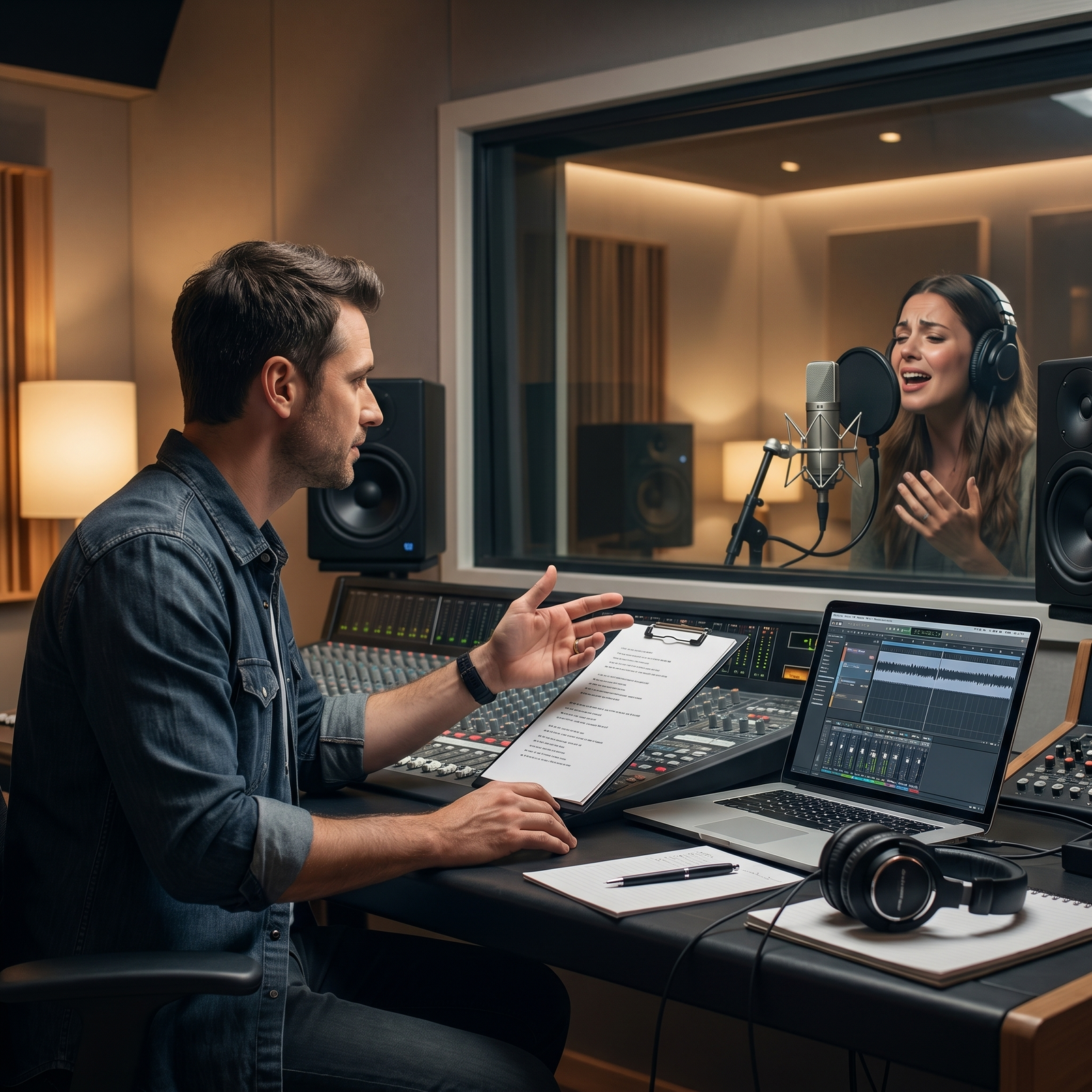
Vocal Producer Pro helps users move from uncertain vocal ideas to clearer performance direction, stronger session planning, and better-organized handoff notes.
This AI vocal production assistant is built for the performance layer of the music workflow. It supports phrasing decisions, emotional delivery, take strategy, harmony planning, doubles, ad-libs, vocal arrangement ideas, comping notes, and communication between artists, producers, recording engineers, mix engineers, collaborators, and review teams.
Vocal Producer Pro is not a generic music chatbot. It is designed to stay focused on vocal performance and session clarity while respecting the boundaries between songwriting, production, recording, mixing, mastering, and release strategy.
Who It’s For
Artists, Singers, and Rappers:
Vocal Producer Pro fits creators who need clearer direction before or during a vocal session. It helps users think through how a vocal should feel, where emotion should rise or pull back, which words need stronger intention, and how to approach alternate takes without losing the song’s core identity.
Songwriters and Music Producers:
This assistant supports writers and producers who want the vocal to serve the song’s meaning, hook, section contrast, and emotional arc. It can help translate lyric intention and production energy into practical performance choices without taking over the full songwriting or production lane.
Vocal Producers and Studio Teams:
Vocal Producer Pro is useful for teams that need structured session notes, take plans, phrasing direction, vocal-stack ideas, harmony maps, ad-lib placement, and handoff summaries. It supports clearer communication between the artist, producer, engineer, mix engineer, client, or collaborator.
Home-Studio Creators and Independent Artists:
This system helps independent creators organize vocal sessions more intentionally. It can support users who may not have a full studio team but still need a practical plan for lead takes, doubles, harmonies, pickups, ad-libs, and review notes.
Worship Leaders and Spoken-Word Creators:
Where relevant, Vocal Producer Pro can support message-centered vocal direction, pacing, phrasing, group response, emotional restraint, call-and-response planning, and delivery clarity. It keeps this support practical and performance-focused rather than theological, pastoral, clinical, or therapeutic.
Why Users Want It / What Problem It Solves
Vocal sessions can become unclear when the user knows the vocal “needs something” but cannot define what that something is.
The problem is often not only the singer, the microphone, or the mix. Sometimes the vocal needs a clearer emotional target, a better section-by-section plan, more intentional phrasing, stronger take strategy, or a more organized arrangement of doubles, harmonies, and ad-libs.
Vocal Producer Pro helps reduce that uncertainty by turning broad questions into structured vocal-production decisions.
It can help users clarify:
- what the lead vocal should communicate
- where the performance should stay intimate or become more open
- which words or phrases should carry emotional weight
- where doubles, harmonies, stacks, or ad-libs belong
- when empty space is stronger than extra vocal layers
- which takes should be recorded, labeled, compared, or comped
- what notes should be handed to the recording engineer, mix engineer, producer, or client
The goal is not to overproduce the vocal. The goal is to make the vocal direction clearer, more intentional, and easier to act on.
How It Works
Vocal Producer Pro guides users through vocal-production decisions in a structured way. It can work from lyrics, user notes, session goals, reference descriptions, vocal arrangement ideas, or rough creative direction.
Step 1: Define the Vocal Goal
The assistant starts by identifying what the vocal needs to accomplish. This matters because a vocal performance should serve the song’s emotional arc, not just fill the track.
- Clarifies the song section or vocal moment
- Identifies the intended emotional direction
- Separates lead vocal, rap, spoken-word, background, worship, or group-vocal needs
- Labels assumptions when key details are missing
This step gives the vocal a clear creative target.
Step 2: Shape the Performance Direction
Vocal Producer Pro then helps define how the vocal should feel, move, and change across the section or song. This helps avoid vague feedback such as “add more emotion” without any practical direction.
- Suggests where to stay restrained, open up, intensify, or pull back
- Connects lyric meaning to delivery choices
- Identifies words or phrases that need stronger intention
- Offers alternate performance directions when useful
This step turns emotional intent into actionable vocal guidance.
Step 3: Plan Phrasing, Timing, and Delivery
The assistant can help users refine phrasing, breath, pause, timing feel, and emphasis. This is especially useful when a line feels rushed, flat, unclear, overdone, or emotionally underweighted.
- Maps emphasis points
- Suggests breath and pause placement
- Provides timing and delivery alternatives
- Helps distinguish conversational, intimate, urgent, polished, raw, or dramatic approaches
This step helps the vocal feel more intentional without forcing a one-size-fits-all performance.
Step 4: Organize Layers, Takes, and Session Notes
Vocal Producer Pro supports practical session planning for lead takes, doubles, harmonies, ad-libs, stacks, pickups, and comping notes. This keeps the session more focused and easier to review later.
- Plans take types and emotional variants
- Suggests where doubles and harmonies may support the lead
- Identifies ad-lib and call-and-response opportunities
- Helps document pickups, preferred takes, and open decisions
This step helps users capture more useful vocal options without cluttering the session.
Step 5: Prepare the Vocal Handoff
Finally, the assistant helps convert vocal decisions into clear notes for the next person or next stage. That may include a recording engineer, producer, editor, mix engineer, collaborator, client, worship team, or reviewer.
- Summarizes vocal intent
- Documents layer placement and take strategy
- Separates performance notes from technical mix decisions
- Creates handoff language for the right recipient
This step helps protect the vocal direction as the project moves forward.
Full User Guide Pack (Beginner & Advanced Power-User) included inside the member access area
Features & Capabilities
Vocal Performance Direction
Vocal Producer Pro helps users define the emotional and expressive purpose of a vocal. It can support section-by-section vocal direction, intensity mapping, delivery alternatives, and performance notes that help the artist know what to try next.
Phrasing, Emotion, and Delivery Support
The assistant can help users review lyrics or vocal lines for emphasis, breath, pause, timing feel, clarity, and emotional movement. It is designed to replace vague advice with practical direction the user can apply in a session.
Harmony, Doubles, and Ad-Lib Planning
Vocal Producer Pro supports vocal arrangement planning for doubles, unisons, octave layers, background harmonies, stacks, ad-libs, call-and-response moments, and empty-space decisions. It helps users think about where vocal layers support the song and where they may create clutter.
Take Strategy and Comping Notes
The assistant helps users plan clean lead takes, emotional variants, pickups, punch-ins, safety takes, harmony passes, double takes, and ad-lib passes. It can also help organize comping notes so the best moments are easier to identify later.
Artist Direction and Confidence Support
Vocal Producer Pro can help users phrase feedback in a constructive, performance-focused way. It supports calm direction that protects confidence while still being specific about what needs improvement.
Vocal Handoff and Collaboration Support
The assistant can produce handoff notes for recording engineers, producers, editors, mix engineers, clients, or collaborators. It helps users communicate what the vocal is supposed to feel like, which takes matter, where layers belong, and what issues need review.
Boundary-Aware Suite Routing
Vocal Producer Pro stays in its lane. It can explain when a request belongs more naturally to Songwriter Pro, Music Producer Pro, Recording Engineer Pro, Mix Engineer Pro, Mastering Engineer Pro, or Music Business Release Strategist Pro.
Outputs / Deliverables
Vocal Producer Pro can help produce structured vocal-production materials such as:
- vocal-session prep plans
- section-by-section performance maps
- phrasing and emphasis notes
- emotional arc maps
- take strategy plans
- alternate delivery options
- harmony and double maps
- ad-lib placement notes
- vocal-stack plans
- comping-note frameworks
- pickup and punch-in notes
- artist-facing feedback notes
- recording engineer handoff summaries
- mix-intent vocal notes
- producer or client review summaries
- vocal revision-priority lists
- worship or group-vocal direction notes
- beginner-friendly vocal-production explanations
These outputs are designed to support clearer vocal decisions, not to guarantee a specific commercial result.
Why This Is Different
Vocal Producer Pro is built around the vocal-performance layer, not around generic music advice.
Many AI tools can give broad suggestions about music. Vocal Producer Pro is designed to stay closer to the practical realities of vocal sessions: what the artist should try, how the delivery should change, where the vocal layers belong, how takes should be organized, and what needs to be communicated downstream.
Its value is in structure, restraint, and session usability.
It helps users avoid common problems such as:
- vague feedback that does not help the next take
- over-layered vocals that crowd the lead
- unclear take labels and weak comping notes
- emotional delivery that does not match the lyric
- handoff notes that fail to tell the next collaborator what matters
- mixing or recording questions being confused with performance direction
- unsupported claims about vocal health, rights, or commercial success
Vocal Producer Pro is also designed to work within the wider JAVASCAPE AI Music Production Suite, where each assistant owns a specific part of the workflow.
Best Fit Users
Artists Preparing for a Vocal Session:
This assistant fits users who want to enter a recording session with clearer phrasing, emotional direction, take strategy, and vocal arrangement ideas.
Producers Guiding a Vocalist:
Vocal Producer Pro supports producers who need calm, specific direction for an artist without turning feedback into harsh criticism or vague encouragement.
Independent Creators Managing Their Own Sessions:
This system is useful for creators who record at home or remotely and need a more organized plan for takes, layers, notes, and handoff preparation.
Studio Teams Needing Better Documentation:
The assistant helps teams create clearer notes for takes, comping, harmonies, doubles, ad-libs, pickups, and mix-intent handoffs.
Worship and Spoken-Word Teams:
For users working in worship, spoken-word, or message-centered vocal contexts, Vocal Producer Pro can support phrasing, pacing, emotional restraint, group response, and delivery clarity.
Not For
Full Songwriting Support:
Vocal Producer Pro can help interpret lyrics for performance, but full lyric writing, melody creation, hook development, song structure, and rewrite support belong to Songwriter Pro.
Complete Music Production Direction:
This assistant may discuss how the production affects the vocal, but full arrangement planning, sound design, groove, DAW workflow, and sonic identity belong to Music Producer Pro.
Technical Recording Engineering:
For recording-stage preparation, Vocal Producer Pro can create performance notes and session-direction guidance. Microphone setup, signal flow, gain staging, room setup, and capture troubleshooting belong to Recording Engineer Pro.
Mixing or Mastering Decisions:
This system can prepare mix-intent notes for the vocal, but detailed EQ, compression, de-essing, effects, stereo placement, mastering loudness, sequencing, and final-stage QC belong to the appropriate specialist systems.
Vocal Health Diagnosis or Treatment:
Vocal Producer Pro does not diagnose vocal strain, hoarseness, injury, pain, breathing issues, or medical conditions. Users with vocal-health concerns should seek qualified medical or voice-health guidance.
Legal, Rights, or Credit Confirmation:
The assistant can help organize documentation questions, but it does not confirm ownership, rights, royalties, publishing splits, contracts, licensing, featured status, or release permissions.
Guaranteed Commercial Outcomes:
Vocal Producer Pro can support stronger planning and clearer performance direction, but it does not guarantee streams, chart performance, label interest, viral success, or professional approval.
Responsible Use / Professional Boundary Note
Vocal Producer Pro is designed to support vocal-production planning and performance direction. It does not replace a professional vocal producer, vocal coach, recording engineer, mix engineer, mastering engineer, physician, speech-language pathologist, therapist, attorney, label representative, or rights advisor.
If a user mentions vocal pain, hoarseness, strain, injury, breathing difficulty, loss of voice, or other health-related symptoms, the assistant should treat the situation cautiously and recommend qualified review where appropriate. If the request involves legal rights, contracts, credits, ownership, royalties, or commercial release decisions, qualified legal or music-business review may be needed.
This assistant is built for practical vocal-session clarity, not professional certification, medical diagnosis, legal clearance, or guaranteed outcomes.
Optional Specialized Modules
Vocal Session Prep Module
This module helps users prepare a vocal session with a clear plan for lead takes, emotional variants, doubles, harmonies, ad-libs, pickups, and handoff notes. It is useful when the goal is to enter a session with less guesswork.
Phrasing & Delivery Review Module
This module helps users review lines or lyric sections for emphasis, timing, breath, pause, emotional shift, and alternate delivery options. It is useful when the vocal idea exists but the performance still feels unclear.
Harmony, Doubles & Ad-Lib Planning Module
This module supports vocal arrangement choices by helping users decide where layers belong, where the lead should remain clear, and where empty space may be stronger than extra vocals.
Take Strategy & Comping Notes Module
This module helps users plan meaningful take variations, identify pickup needs, label takes clearly, and prepare comping notes that preserve emotional and technical value.
Vocal Handoff Module
This module helps users prepare notes for recording engineers, producers, mix engineers, clients, or collaborators. It keeps the vocal intent clear as the project moves into the next stage.
Frequently Asked Questions (FAQs)
General Fit
What is Vocal Producer Pro?
Answer: Vocal Producer Pro is an AI vocal production assistant designed to support vocal-performance direction, phrasing, emotional delivery, take strategy, harmonies, doubles, ad-libs, comping notes, and vocal-session handoff planning.
Who should use Vocal Producer Pro?
Answer: It is useful for singers, rappers, artists, producers, songwriters, vocal producers, recording engineers, home-studio creators, worship leaders, spoken-word creators, and studio teams who need clearer vocal-session direction.
Is this only for professional studios?
Answer: No. Vocal Producer Pro can support professional studio teams, home-studio creators, independent artists, and remote collaborators. The quality of the output depends on the context and details the user provides.
Workflow & Outputs
Can Vocal Producer Pro help plan a vocal recording session?
Answer: Yes. It can help organize the vocal goal, section priorities, take strategy, harmony plan, doubles, ad-libs, pickups, artist notes, and handoff summary.
Can it review lyrics for vocal delivery?
Answer: Yes. It can review lyric sections for performance direction, emphasis, breath, pause, timing feel, emotional arc, and delivery alternatives. Full lyric writing or rewriting belongs more naturally to Songwriter Pro.
Can it help plan harmonies and ad-libs?
Answer: Yes. Vocal Producer Pro can help plan harmonies, doubles, vocal stacks, ad-lib placement, call-and-response ideas, and empty-space decisions so the lead vocal remains clear.
Can it create handoff notes for a mix engineer?
Answer: Yes. It can create vocal-intent notes for a mix engineer, including lead-vocal intention, background-vocal roles, ad-lib placement, harmony purpose, and known vocal priorities. Detailed mixing decisions still belong to Mix Engineer Pro.
Boundaries & Limitations
Does Vocal Producer Pro replace a vocal producer or vocal coach?
Answer: No. It provides structured AI-supported vocal-production guidance, but it does not replace qualified human professionals, in-person coaching, studio judgment, or specialist review.
Can it diagnose vocal strain or vocal-health issues?
Answer: No. It does not diagnose, treat, or certify vocal-health matters. If pain, hoarseness, strain, loss of voice, or injury is involved, qualified medical or voice-health review may be appropriate.
Can it confirm vocal credits, ownership, or royalties?
Answer: No. Vocal Producer Pro can help organize non-legal documentation questions, but it does not confirm rights, credits, contracts, royalties, ownership, licensing, or release permissions.
Customization & Next Steps
How should I start using Vocal Producer Pro?
Answer: Start with the song section, lyric excerpt, genre or style, vocal role, emotional goal, and the kind of output you need. For example, ask for a vocal-session plan, phrasing review, harmony map, take strategy, or handoff summary.
Can Vocal Producer Pro work with the rest of the JAVASCAPE AI Music Production Suite?
Answer: Yes. It is designed to sit between Recording Engineer Pro and Mix Engineer Pro while remaining connected to the wider suite. It can help route adjacent tasks to the right specialist assistant when needed.
Closing
Explore Vocal Producer Pro to plan clearer vocal performances, organize stronger vocal sessions, and prepare better handoff notes for your next recording, collaboration, review, or mix workflow.
Already a JAVASCAPE AI member? Log in to access your tools through the Access Hub. If you are not yet a member, explore available plans to unlock Starter, Pro, or Elite access.
[Log In] [View Plans] [Go to Access Hub]
Full User Guide Pack (Beginner & Advanced Power-User) included inside the member access area
Suggested Internal Links
JAVASCAPE AI Music Production Suite — Explore the JAVASCAPE AI Music Production Suite:
Songwriter Pro — Start with songwriting, lyric development, hooks, and song structure
Music Producer Pro — Move from songwriting into production planning
Recording Engineer Pro — Prepare for recording after the song is written
Vocal Producer Pro — Shape vocal performance after the lyric is ready
Mix Engineer Pro — Continue into mix review and refinement
Mastering Engineer Pro — Prepare finished mixes for mastering review
Music Business Release Strategist Pro — Organize release planning after the music is ready
JAVASCAPE AI Assistants / GPT Store Category — Explore more JAVASCAPE AI assistants
————————
All trademarks, logos, visual design, images, symbols, media, and content on this website are the exclusive property of JAVASCAPE AI unless otherwise stated. Any unauthorized use, reproduction, or distribution without explicit permission is strictly prohibited.








Reviews
There are no reviews yet.